Stanford cs193p Getting Started with SwiftUI
This article is related notes for the 1st episode of Stanford University’s CS193p course.
cs193p Class Intro:
The lectures for the Spring 2023 version of Stanford University’s course CS193p (Developing Applications for iOS using SwiftUI) were given in person but, unfortunately, were not video recorded. However, we did capture the laptop screen of the presentations and demos as well as the associated audio. You can watch these screen captures using the links below. You’ll also find links to supporting material that was distributed to students during the quarter (homework, demo code, etc.).
cs193p class website: https://cs193p.sites.stanford.edu/2023
Create a new iOS Project
Go File -> New -> Project
Get Understand “Hello World” Code
Full “Hello World” Code
1
2
3
4
5
6
7
8
9
10
11
struct ContentView: View {
    var body: some View {
        VStack {
            Image(systemName: "globe")
                .imageScale(.large)
                .foregroundStyle(.tint)
            Text("Hello, world!")
        }
        .padding()
    }
}
struct and View
1
2
3
4
struct ContentView: View {
  	...
  	...
}
structstates for structure and it is the heart of SwiftUI. It can have variables and functions in it. Swift is not an object oriented programing language, sostructis NOT aclass. It is a funtional programming language.ContentViewis the name of thestruct.ViewmeansContentViewstruct behaves like aView.
var
1
2
3
4
5
6
struct ContentView: View {
    var body: some View {
    		...
    		...
    }
}
varis a keyword for variable, and body is the variable name. Other variable may looks like:
1
2
var i: Int
var s: String
Computed Property
Let’s take a look at what in the body:
1
2
3
4
5
6
7
8
9
    var body: some View {
        VStack {
            Image(systemName: "globe")
                .imageScale(.large)
                .foregroundStyle(.tint)
            Text("Hello, world!")
        }
        .padding()
    }
var bodyis a property, and the value ofbodyvariabe is NOT stored somewhere. It is computed, every time when the program runs. It will compute the code inside. In this case, it is the part below:
1
2
3
4
5
6
7
8
9
												{
        VStack {
            Image(systemName: "globe")
                .imageScale(.large)
                .foregroundStyle(.tint)
            Text("Hello, world!")
        }
        .padding()
    }
some View is unlike String or Int. It is some kinds of View, any different types of View. As long as it is a View.
VStack (Vertical Stack)
1
2
3
4
5
6
        VStack {
            Image(systemName: "globe")
                .imageScale(.large)
                .foregroundStyle(.tint)
            Text("Hello, world!")
        }
- creating instance of structs: like image struct,
Image(systemName: "globe"); or text struct,Text("Hello, world!"). - named parameters:
systemNameis a named parameter. Parameter defaults: There are other arguments could be specified, but we take the default value.
- This
VStackhas 2 struct behaves like aView. It hasImageandTextstruct. However,VStackitself is also a struct behaves like aView. We can have argumant forVStack, For example:
1
2
3
4
5
6
        VStack(alignment: .leading, spacing: 20) {
            Image(systemName: "globe")
                .imageScale(.large)
                .foregroundStyle(.tint)
            Text("Hello, world!")
        }
- What about the whole thing inside the
VStack?- It is a parameter of VStack, the whole thing should looks like this:
1
2
3
4
5
6
        VStack(content: {
            Image(systemName: "globe")
                .imageScale(.large)
                .foregroundStyle(.tint)
            Text("Hello, world!")
        })
- The
VStackis also called @ViewBuilder. @ViewBuilder can trun list of views (Image, Text) to TupleView.
View modifier
1
2
3
            Image(systemName: "globe")
                .imageScale(.large)
                .foregroundStyle(.tint)
- The
.imageScaleand.foregroundStyleis called view modifier. The Image view will return value to.imageScaleand then.imageScalewill also return to.foregroundStyle. So they can chain together.
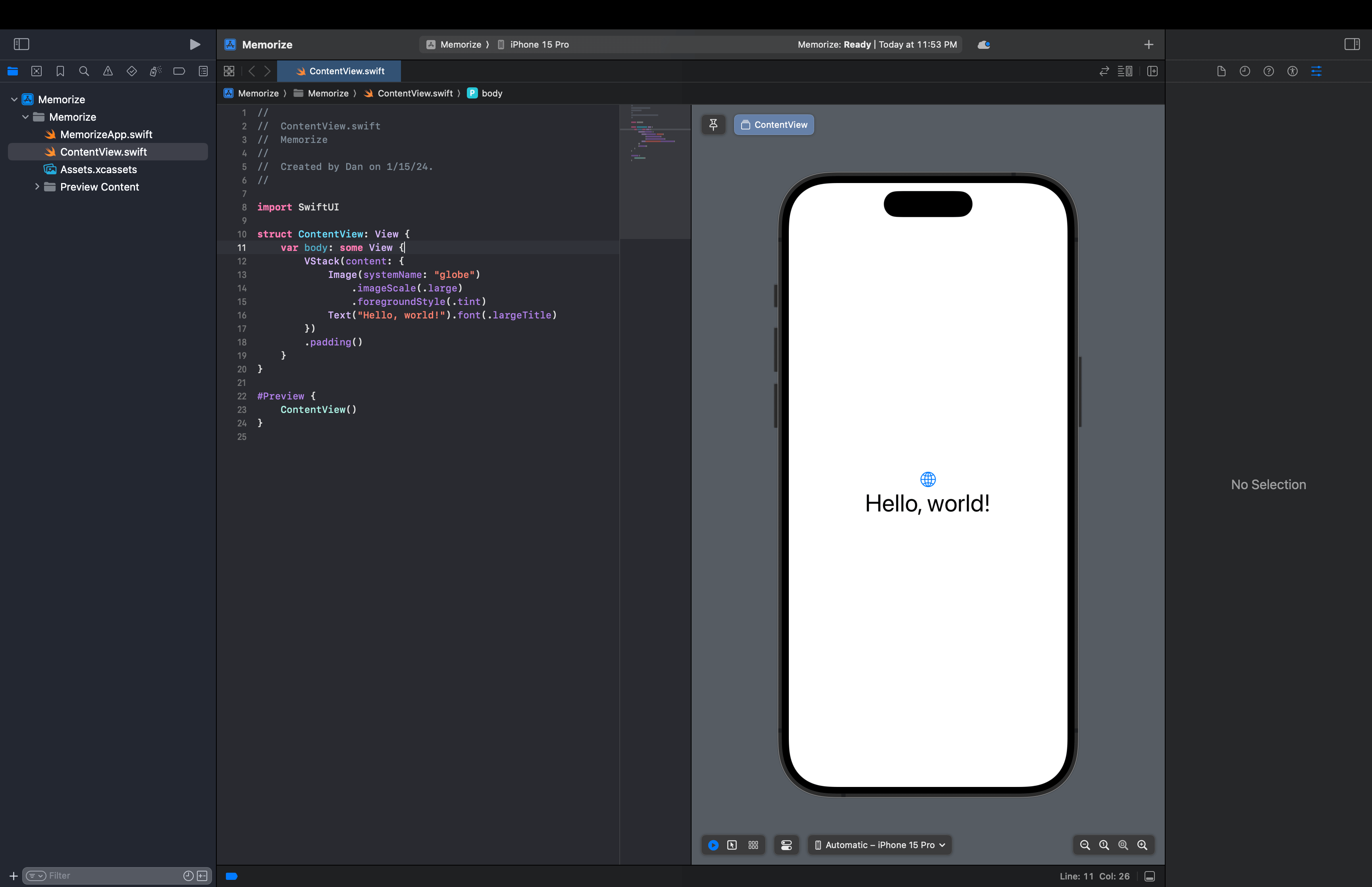
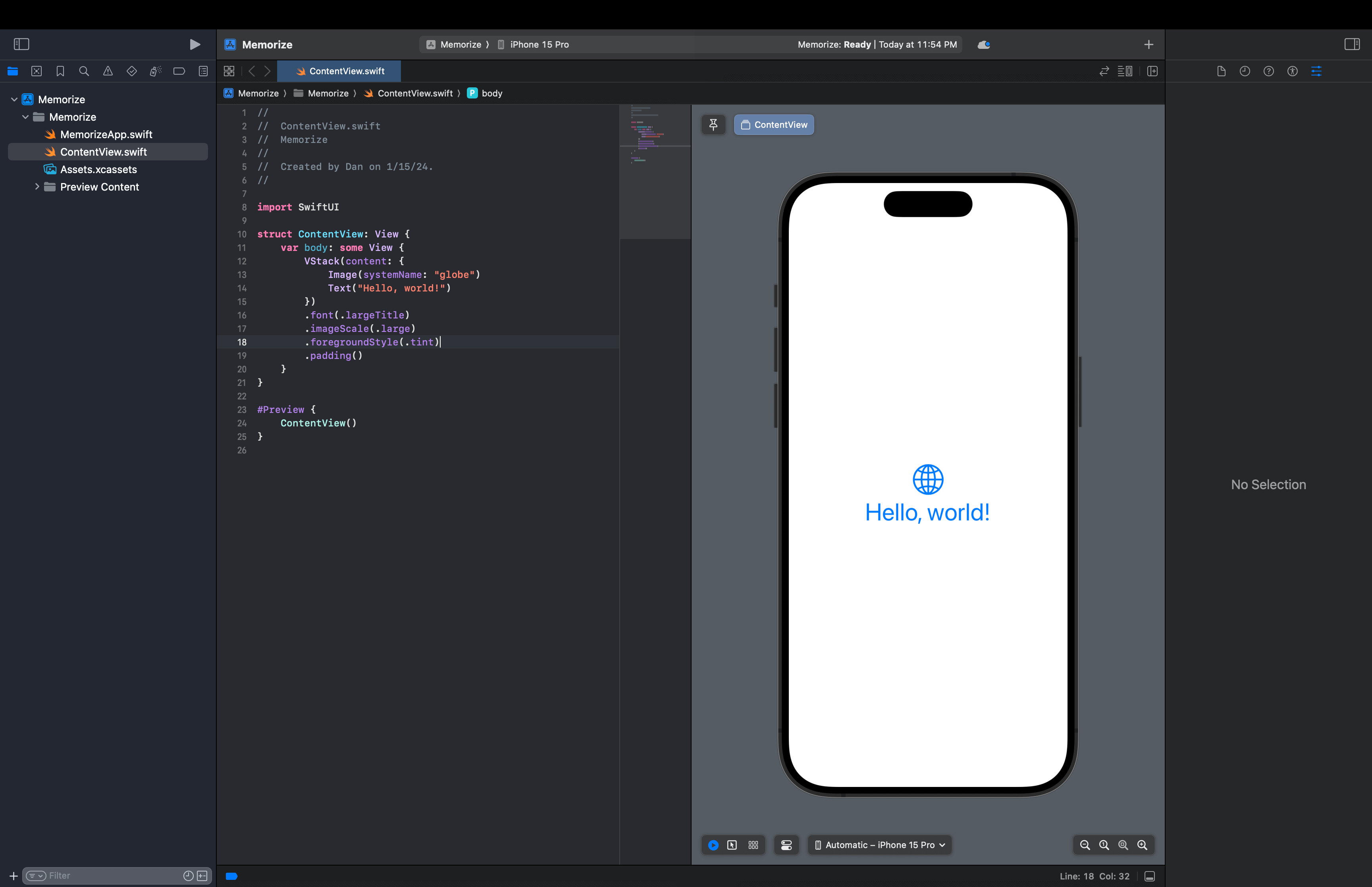
Scope of a view modifier
The scope of a view modifier is important. If the scope is different, it will show differently.
▲ Scope 1
▲ Scope 2
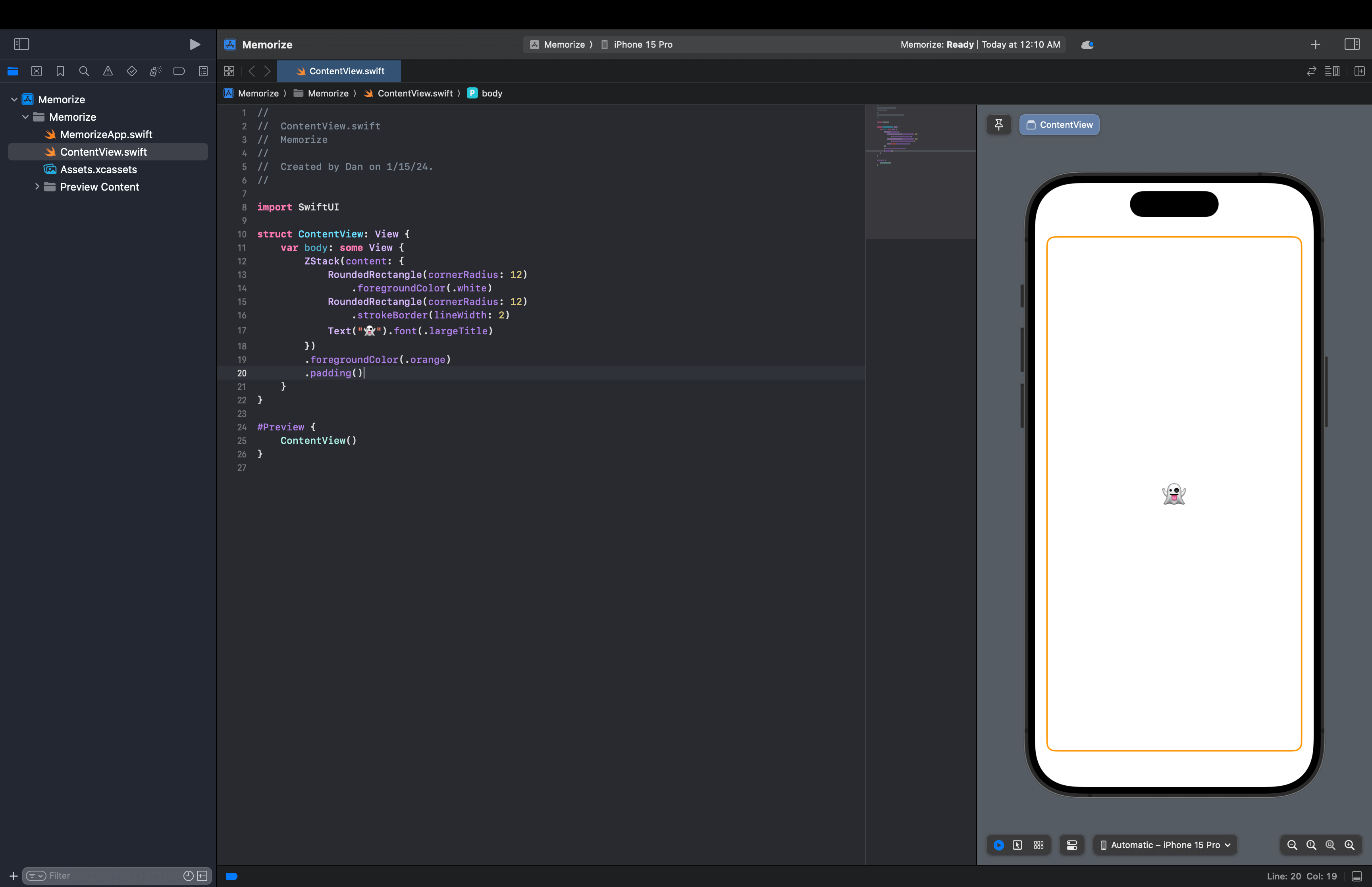
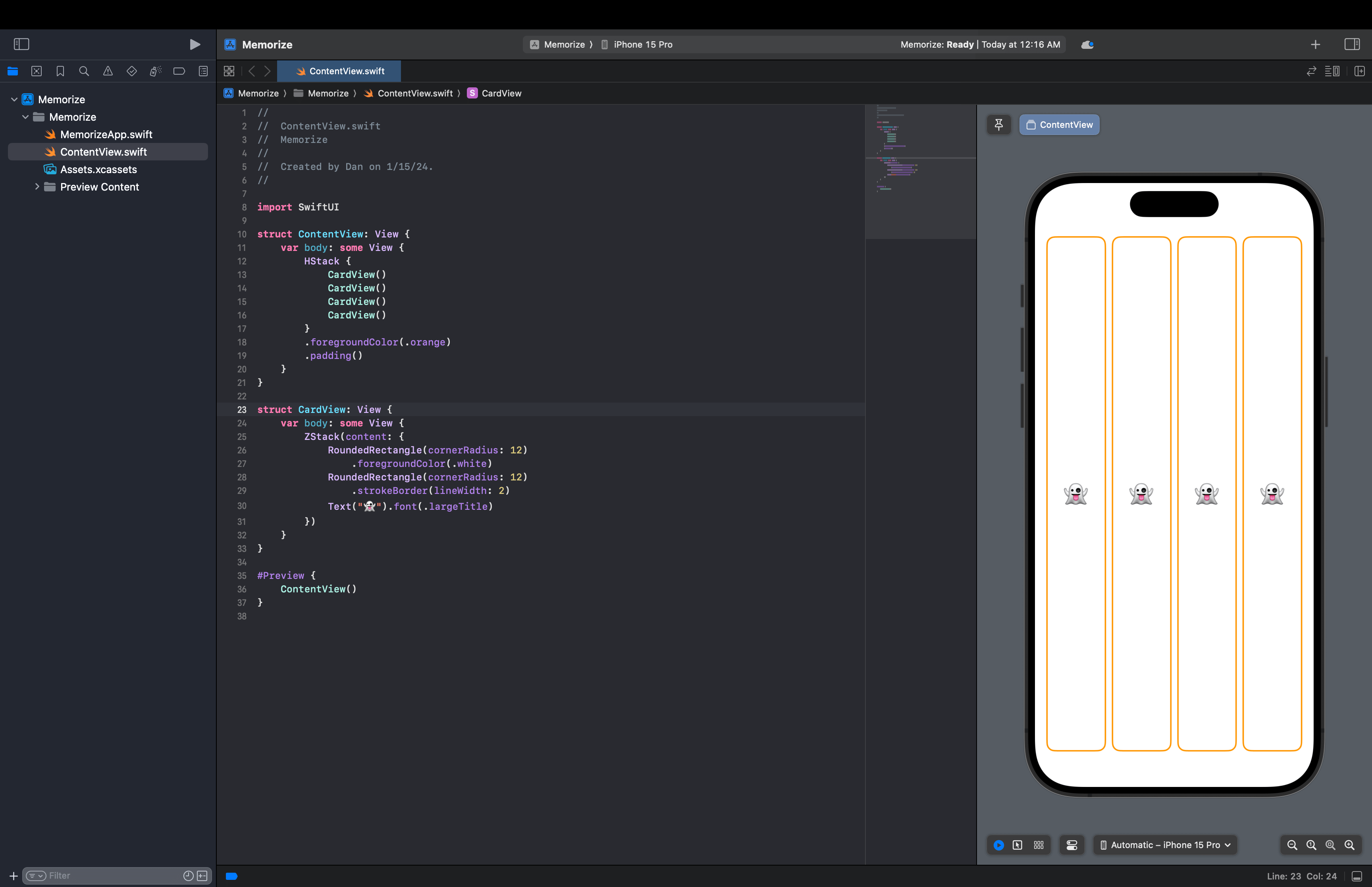
Let’s Start Creating Card
▲ Created a Single Card with white background
▲ Created 4 cards
1
2
3
4
5
6
7
8
9
10
11
12
13
14
15
16
17
18
19
20
21
22
23
24
25
26
27
28
29
30
31
32
33
34
35
import SwiftUI

struct ContentView: View {
    var body: some View {
        HStack {
            CardView(isFaceUp: true)
            CardView()
            CardView()
            CardView()
        }
        .foregroundColor(.orange)
        .padding()
    }
}

struct CardView: View {
    var isFaceUp: Bool = false
    var body: some View {
        ZStack(content: {
            if isFaceUp {
                RoundedRectangle(cornerRadius: 12)
                    .foregroundColor(.white)
                RoundedRectangle(cornerRadius: 12)
                    .strokeBorder(lineWidth: 2)
                Text("👻").font(.largeTitle)
            } else {
                RoundedRectangle(cornerRadius: 12)
            }
        })
    }
}

#Preview {
    ContentView()
}
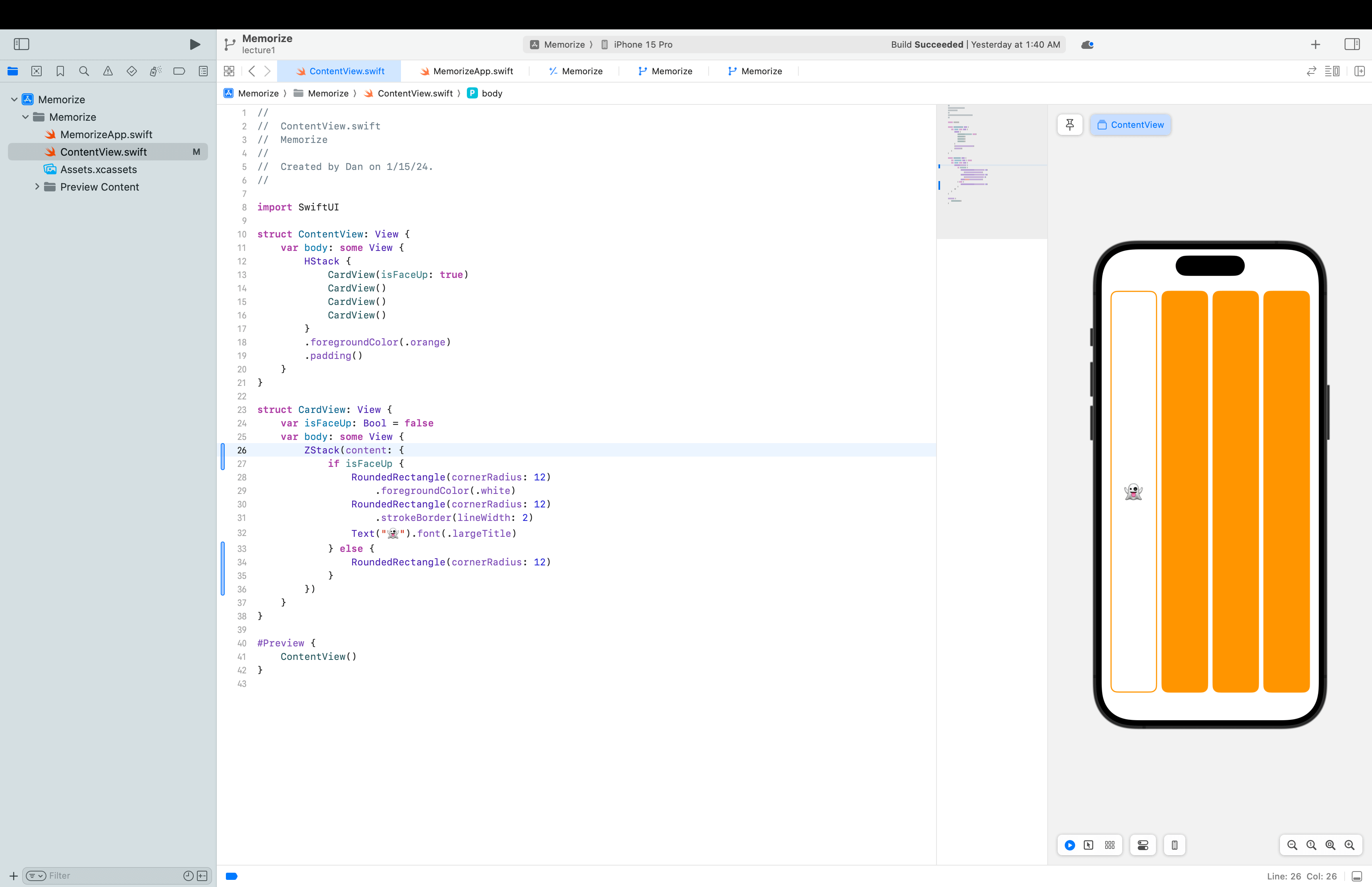
▲ Created 4 cards with a parameter to control it’s face up and down
Note: Every var has to have a value, but we can give a defalut value.